Your Music Listens to You
A smart speaker in your pocket. Control your music by voice — offline, no subscriptions, no cloud. Just say "OGO, play" and enjoy your music.
Why OGO Music Player?
Voice control like a smart speaker — right on your phone
Voice Control
Like Alexa, Siri, or OK Google, but for your music on your phone — and without internet. Say "OGO, play" — and the player responds instantly. Hands free.
Works Without Internet
Unlike smart speakers, OGO doesn't need internet. Voice is recognized right on the device — works in the subway, in the woods, on a plane.
Background Mode
Listens for your commands even with the screen off. Like a smart speaker — always ready for your voice.
Voice Track Search
Say "OGO, find [song name]" — the player will find and play the track. No need to scroll through your library.
Playlists by Voice
Switch playlists with a single phrase: "OGO, playlist workout". Create and manage — all by voice.
Equalizer
Fine-tune the sound to your taste. Built-in presets for rock, pop, jazz, and more.
How It Works
Three steps — and your phone becomes a smart speaker
Install
Download OGO Music Player from the App Store or Google Play and select your music folders.
Enable Voice
Activate voice control and grant microphone access. Everything works locally.
Speak
"OGO, play", "OGO, next", "OGO, find Queen" — the player listens and obeys.
Voice Commands
Control your music like a smart speaker — but without internet
- “OGO START” Play music
- “OGO NEXT” Next track
- “OGO PAUSE” Stop playback
Install the app and say your first command
Beautiful and Convenient
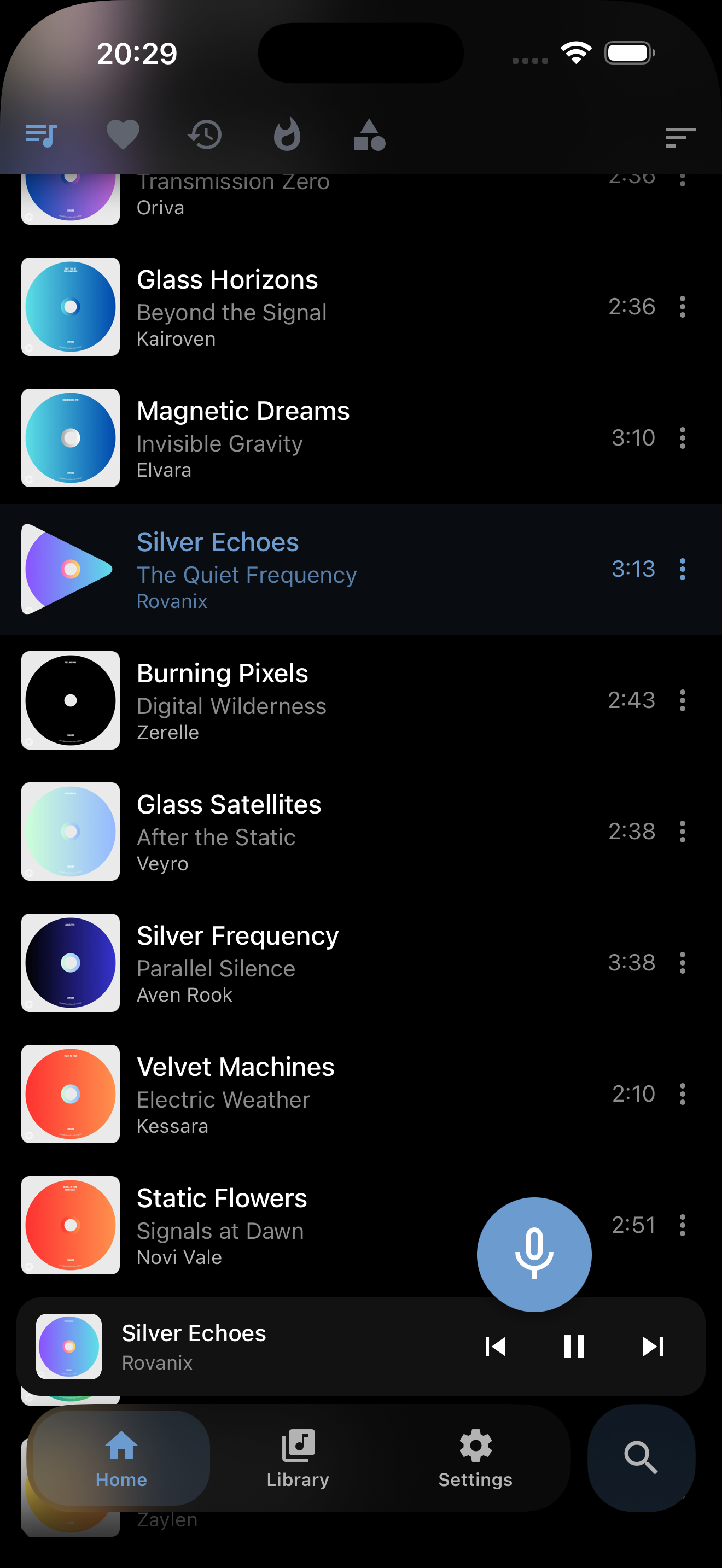
A modern interface for music lovers
-
Light & dark themes
Two looks to match your style.
-
Expressive artwork
Album covers give your music its own character.
-
Clear player layout
Easy-to-read track details and clear playback controls.
-
Organized library
Clean, readable lists of tracks, folders and playlists.
Song lyrics on the big screen
OGO recognizes the words in a track, syncs them to the music and shows them on your TV. Listen, sing along and follow the lyrics together.
-
In sync
Lyrics light up in time with the music.
-
Easy to read
Follow the lyrics across the room.
-
Straight to your TV
Send music and lyrics from your phone.
-
Your own music
OGO recognizes the words and creates subtitles.

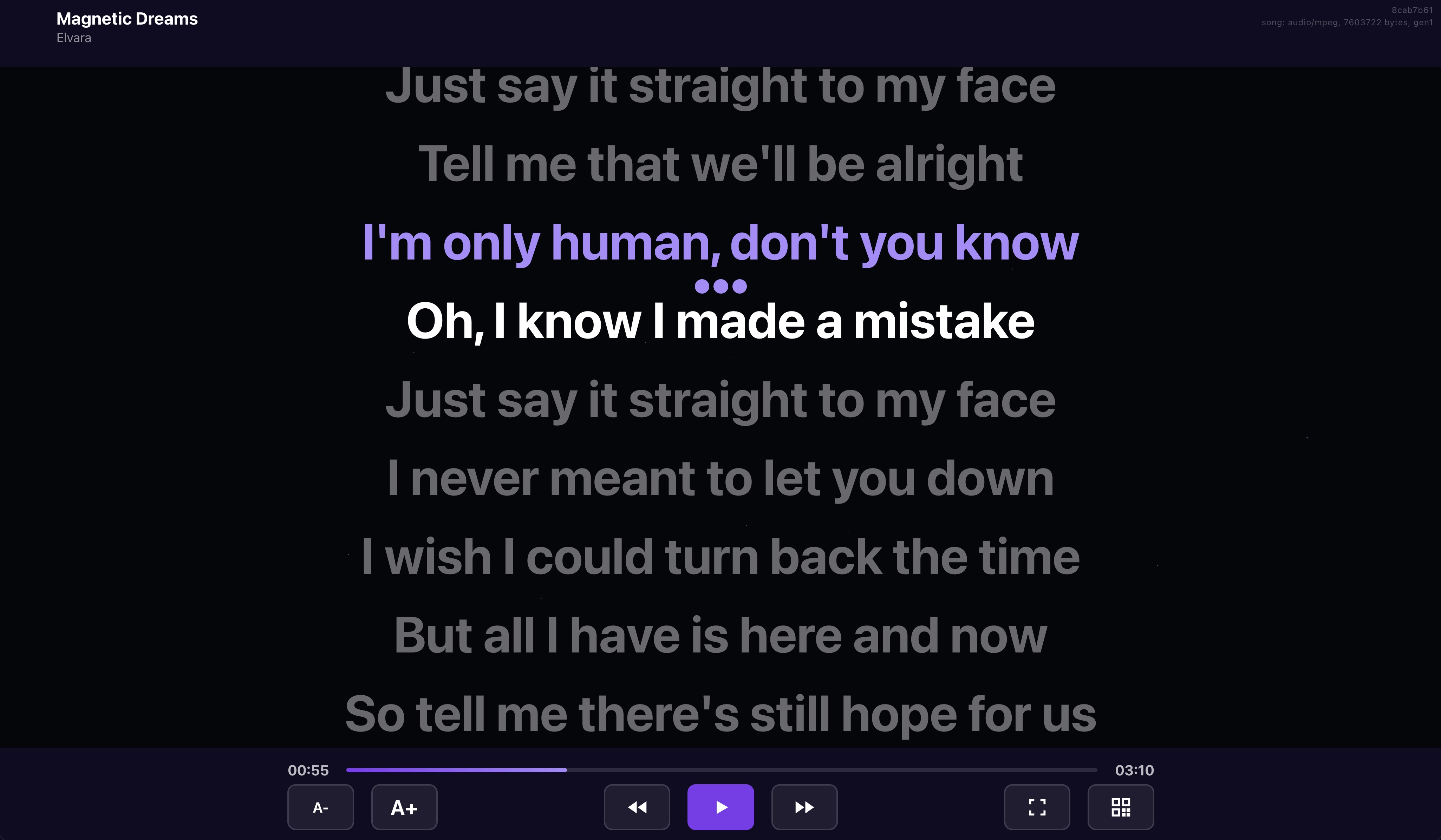
No set-top box, no cables. All you need is a TV with a browser.
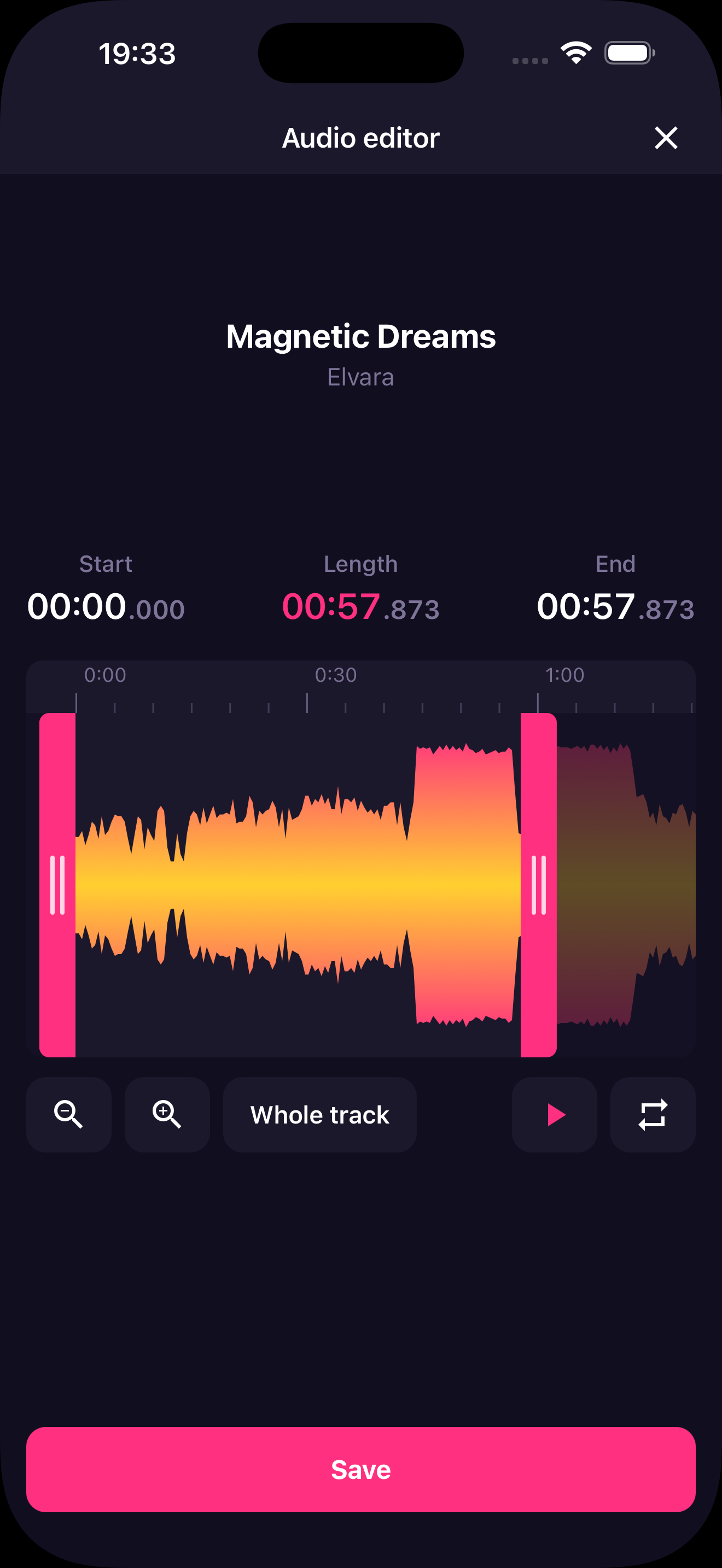
Save the moment you need
A chorus for a ringtone, a favorite part of a song or just the section of a recording you need — select it right on the waveform and save it as a separate file.
-
Select precisely
Mark the start and end on the waveform.
-
Preview first
Listen to your selection before saving.
-
Fine-tune the edges
Remove silence and unwanted sounds.
-
Keep the original
Save the clip as a separate file.
Everything happens right on your phone — no uploading files to the cloud and no internet.
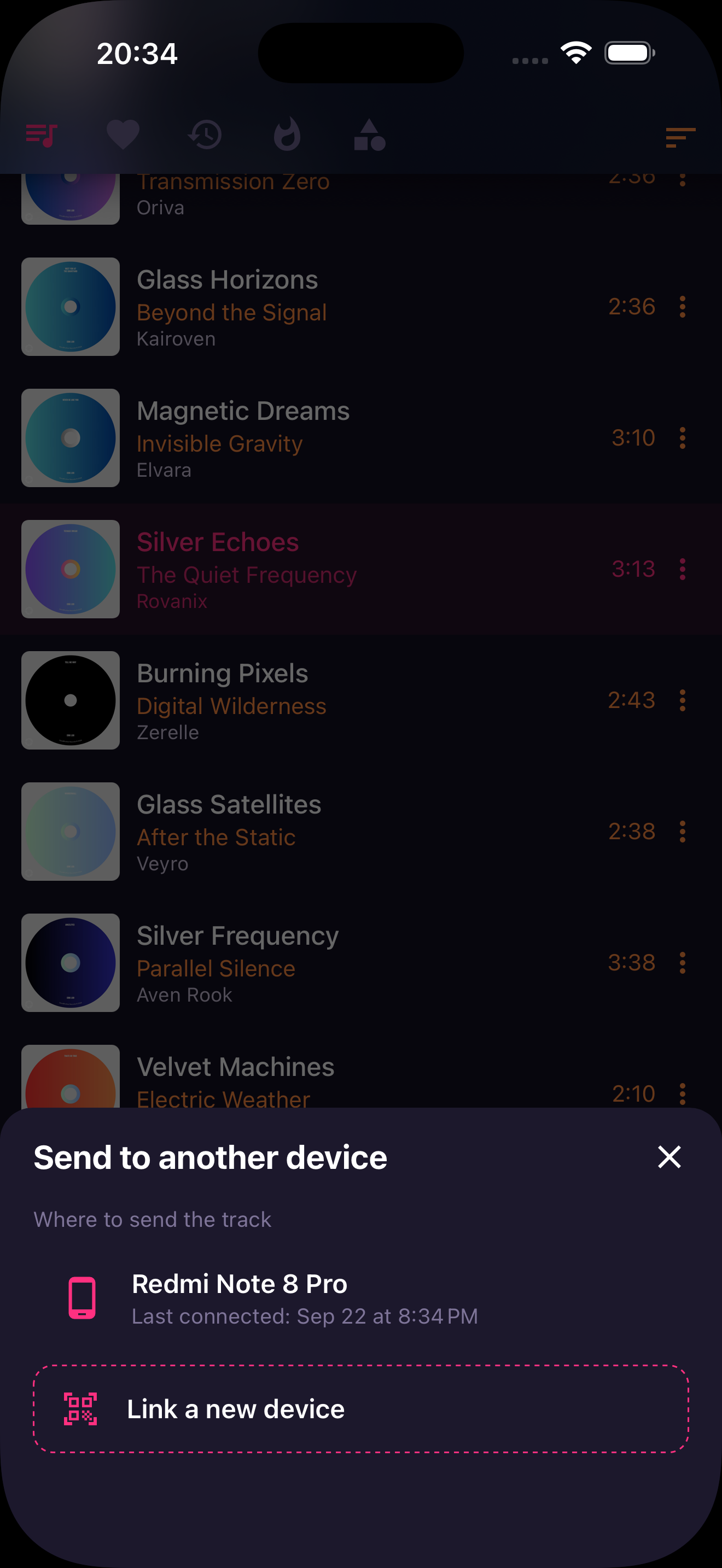
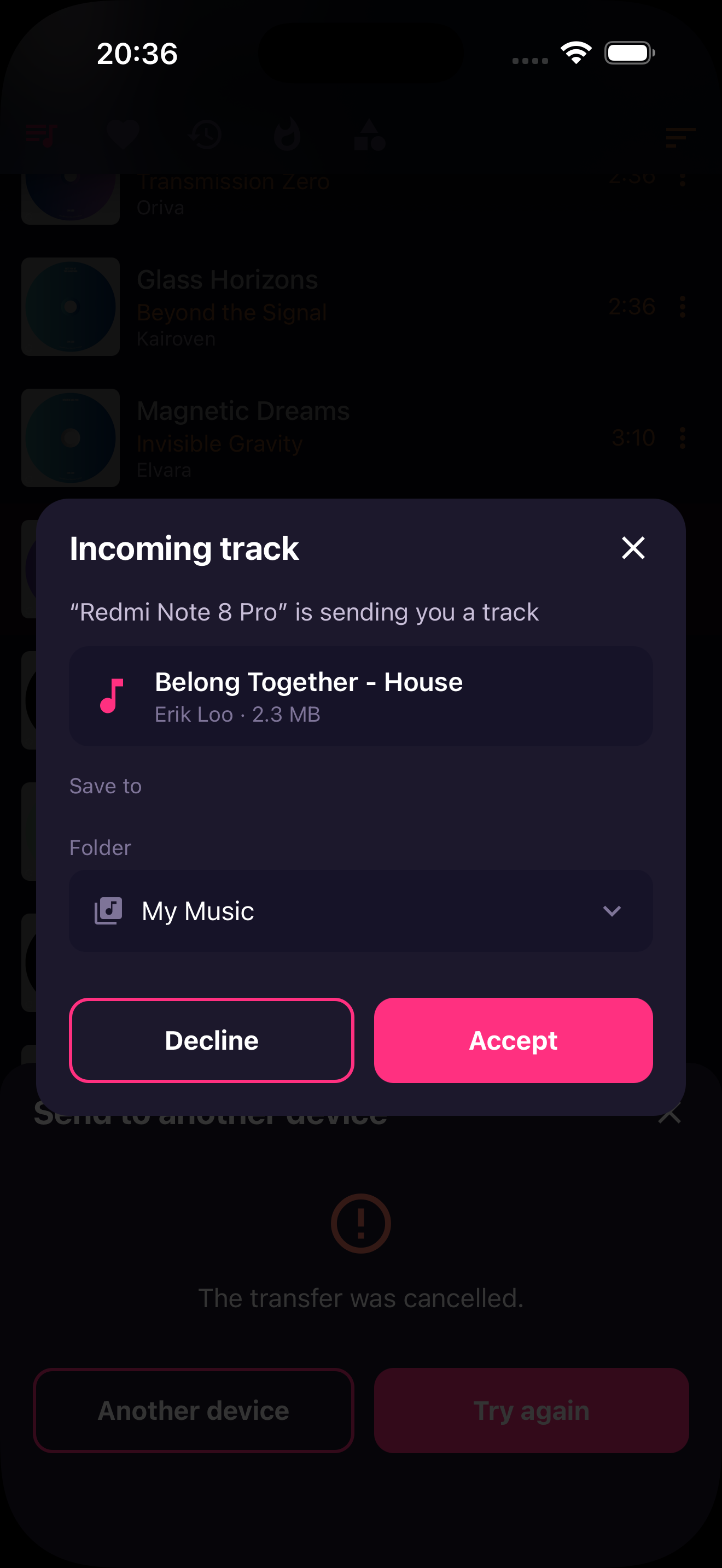
Send music directly
Move tracks between your own phones without cables, cloud storage or messengers. Pair your devices once — after that a transfer takes just a few taps.
-
Direct transfer
Files are sent directly from one device to the other
-
Everything together
Subtitles and track details travel along with the music
-
Original quality
No compression and no quality loss — the file stays original
-
You decide
The receiving device confirms the transfer before the download starts
Connect your devices once — and send music between them whenever you like.
Ready to replace your smart speaker?
Download OGO Music Player — and control your music by voice. Free, offline, no subscriptions.



Scan to download
Free. Ad-free in the premium version.